
How to Report Cybercrime and Online Fraud in Perth and Kinross
Learn what counts as cybercrime, how to preserve evidence and where Perth and Kinross residents can report online fraud in Scotland.

Cybercrime is criminal activity carried out through computers, phones or the internet, including account hacking, phishing, identity theft and online fraud. Perth and Kinross residents can report suspected crimes to Police Scotland, while fraud and cybercrime can also be reported through the UK’s national reporting service. Save messages, screenshots and payment records first, and do not send more money or share security codes.
A suspicious message is not proof of a crime, but pressure to act quickly, requests for secrecy and promises of unusually high returns are reasons to pause. Keep the original message and record how you encountered the offer before blocking or reporting the sender.
The right reporting route depends on what happened and whether money, accounts or personal information are at risk. This guide explains the main options for Scotland, what evidence to preserve and how to assess claims involving currency exchange.
- Cybercrime includes account hacking, phishing, identity theft and online fraud.
- Save messages, links, screenshots and payment records before deleting or blocking anything.
- Report urgent danger to Police Scotland and use official reporting routes for non-emergency fraud; contact your bank immediately if money is involved.
- Check currency claims independently, but remember that a plausible rate does not prove an offer is genuine.
What counts as cybercrime and online fraud
Crimes using devices or accounts
Cybercrime includes offences where a computer, phone or online account is the target or the tool used to commit a crime. Examples include breaking into an email account, stealing personal information, sending malware, or using a fake website to obtain payment details. Online fraud is a related term for deception intended to take money or valuable information.
A message that imitates a bank, delivery company or public body may be phishing if it tricks you into revealing a password or clicking a harmful link. Fraud can also happen through a marketplace listing, a fake investment pitch or a caller who pretends to be technical support. The format varies, so focus on the deception and the harm.
Not every mistake online is a crime, and an unwanted message alone may not show that an offence occurred. If an offer quotes a currency conversion, an independent reference such as anlık döviz fiyatları may help you judge whether the claim looks plausible, but it cannot establish that the sender is genuine. Consider the whole exchange and preserve it.
Fraud that crosses platforms
Online fraud often moves between platforms, which can make the sequence harder to understand later. A person might first see an advert on social media, then be directed to a messaging app, and finally receive payment instructions by email. Record the platform, account name and dates as well as the content of each contact.
Common warning signs include a request for a one-time passcode, an unexpected link to sign in, or a demand to pay by an unusual method. A criminal may also use personal details gathered elsewhere to make a message sound familiar. Verify requests using contact details you find independently, not the phone number or link in the message.
If you have already shared a password, change it using the real service’s website or app and update any other account that reused it. Contact your bank promptly if you disclosed payment details or authorised a transfer. If an account is still accessible, secure it and keep records before deleting messages or resetting devices.
- Save the original message and sender details.
- Do not click links or share security codes.
- Contact your bank if payment details are involved.
How to recognise a suspicious online offer
Pressure and unrealistic promises
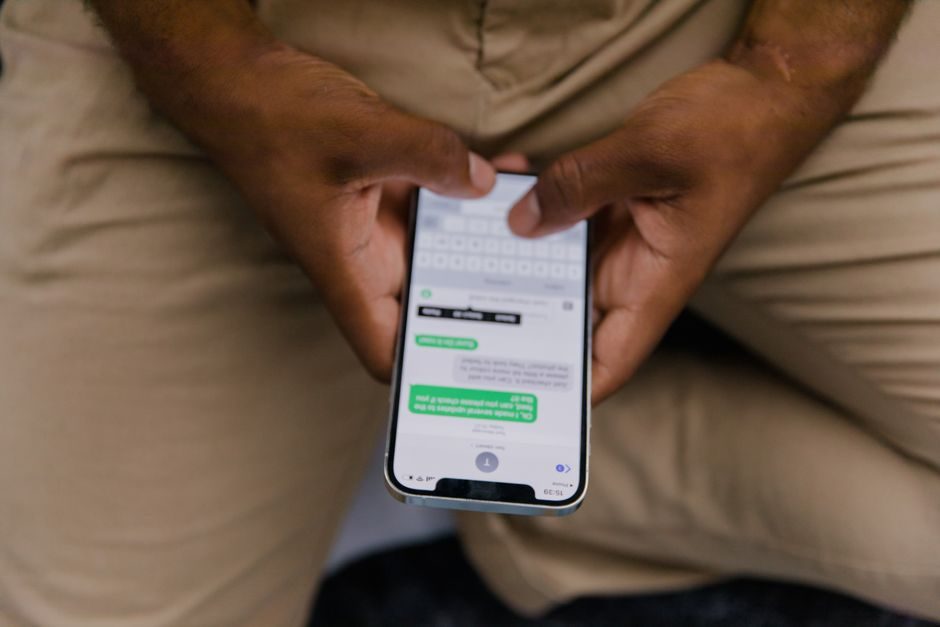
Pause when an online offer insists you act immediately, keep the arrangement secret or pay before you can check the details. Fraudsters use urgency to stop people comparing claims or asking someone they trust. A promised return that sounds certain or unusually generous deserves particular care, especially when the seller will not explain the risks.
- ☐ Pause if the sender demands an immediate decision.
- ☐ Verify contact details through an independent source.
- ☐ Do not share passwords or one-time security codes.
- ☐ Check whether promised returns come with clear risks.
Check whether the organisation can be verified through an independent source, and compare the sender’s details with the official contact information. A lookalike web address, a newly created social account or a request to move the conversation off a reputable platform can all raise concern. None proves fraud alone, but several together justify stopping.
Treat screenshots, testimonials and payment confirmations supplied by the promoter as claims, not proof. Images can be altered, and an apparent balance on a website does not show that money can be withdrawn. Ask what happens if the offer fails, who holds the funds and what formal terms apply; walk away if answers remain vague.
Verify before paying
Before paying, check the recipient, the reason for payment and whether the payment method offers a route to challenge a mistake. Be cautious if someone asks you to send money to a personal account for a business transaction, or to pay an extra fee to release supposed profits. Do not rely on documents supplied only by the person requesting payment.
For an investment claim, look for the firm on the Financial Conduct Authority’s official register and use the regulator’s own contact details to check it. A fraudster may copy a real firm’s name or registration details, so compare the website address and contact information carefully. If you cannot verify who is offering the investment, do not transfer money.
Ask a trusted person to review the offer before you act, especially if the sender discourages outside advice. If you have already paid, contact your bank as soon as possible and explain that you suspect fraud. Keep the transaction confirmation and any follow-up demand, since both can help the bank or police understand what happened.
Where to report cybercrime in Scotland
Choose the right reporting route
For an immediate danger or a crime in progress, call 999; for a non-emergency matter, contact Police Scotland through its official channels. Residents can also report fraud and cybercrime to Report Fraud, the UK’s national reporting service, using its official website. If money has left your account, contact your bank straight away as well.
- Mistake: waiting to report until every detail is known; better: report promptly and add information later if requested.
- Mistake: relying only on a social-media report; better: use official police or national reporting channels.
- Mistake: contacting the bank after making other calls; better: alert the bank immediately when a payment may be fraudulent.
Give a clear account of what happened, when it began, how the person contacted you and what you did in response. Include the amount and payment method if relevant, without guessing or filling gaps with assumptions. For an offer stated in another currency, döviz kurları çevir can help you understand the promised amount before you record it as evidence.
The reporting service may provide a reference or guidance on what to do next; keep any confirmation with your records. A report does not guarantee that money will be recovered, but it can help authorities assess the incident and identify patterns. If you are unsure which route fits, use Police Scotland’s official information rather than an unverified search result.
| Route | Best used for | What to do |
|---|---|---|
| Police Scotland | Non-emergency crime concerns | Use official police contact channels |
| Report Fraud | Fraud and cybercrime reports | Submit details through its official website |
| Your bank | Suspected fraudulent payment | Contact it promptly to report the transfer |
Preserve evidence before reporting
Keep evidence in its original form where possible, and make copies before blocking an account or deleting a conversation. Save emails with their sender details, screenshots of adverts and messages, website addresses, transaction records and any reference numbers. Note the date and time you received each item, using your own records rather than trying to reconstruct details later.
Do not edit screenshots to make them clearer or add annotations to the only copy. If a website may disappear, save its address and capture the relevant page, but do not revisit it if doing so could expose your device or account to risk. Preserve the device and account information that may help explain how contact began.
When reporting, separate what you saw from what you suspect. For example, say that a message requested a transfer and that you believe it may be fraudulent, rather than stating as fact who sent it. Share evidence through official reporting channels, and avoid posting personal or banking information publicly while seeking help.
- Keep original emails, texts and chat messages.
- Save screenshots, links and transaction records.
- Write down dates, times and account details.
- Store copies securely and avoid public posts.
A currency figure in an online offer can be checked for arithmetic, but a plausible conversion does not make the offer legitimate.
Check claims about currency exchange

Compare the quoted conversion
A currency figure in an online offer can be checked for arithmetic, but a plausible conversion does not make the offer legitimate. Identify the currency, amount and date used in the claim, then compare it with an independent rate reference. The amount you receive can differ because providers apply their own fees, spreads and terms.
Check whether a quote is a buy rate or a sell rate, and whether it includes commission or other charges. A displayed midpoint or indicative rate may not be the rate available to a customer. Record the source and date of any comparison so you can explain how you assessed the claim when reporting it.
Be cautious if a promoter treats a changing exchange rate as a guaranteed profit or says you must pay a fee to unlock a conversion. A rate chart can show past movement, not promise what will happen next. If the calculation is unclear, ask for a written breakdown and do not transfer funds while the terms remain uncertain.
Separate rate checks from proof
An independent rate check can help you spot a figure that appears inconsistent, but it cannot confirm who controls a website or whether an investment exists. Fraudulent offers can use accurate market prices to look credible. Verify the company, payment destination and terms separately, and avoid using contact details supplied only by the person promoting the offer.
Keep a copy of the original claim alongside your comparison, including the date, currency pair and any fees mentioned. If you later contact your bank or report the incident, this makes it easier to distinguish the sender’s promise from your own check. Do not alter the original message or present an indicative figure as a guaranteed customer rate.
Where a claim involves crypto assets as well as currency, remember that a displayed conversion may use a particular exchange’s price and may change quickly. Ask what rate source and charges the offer uses, and whether withdrawals are actually available. If the promoter refuses clear answers or requests more money to release funds, stop and seek advice through official channels.
Keep a record of suspicious messages and offers
Save the original evidence
Keep suspicious messages in their original form whenever possible, because a screenshot alone may omit the sender, date or surrounding conversation. Save emails with their full headers if you know how, and keep texts in the messaging app until you have recorded the details. Do not reply, click links or open attachments just to gather more evidence.
- Preserve the original message and capture the sender and timestamp.
- Save page addresses, payment references and relevant account details.
- Write a factual timeline and keep copies secure.
Take screenshots that show the sender’s account name or number, the message, and any visible date or time. For a website or social media post, record the page address and capture the full claim, including the account profile where relevant. If the content may disappear, make a prompt copy without forwarding it to friends or posting it publicly.
Keep a simple timeline describing when contact began, what was promised, what you did, and when you became concerned. Record names or account identifiers as displayed, payment references, and any amounts involved, but distinguish what you saw from what someone told you. Store copies somewhere you can still access if your device or account is compromised.
Organise files for reporting
Create one folder for the incident and use clear filenames, such as the date followed by “email” or “payment receipt.” Keep an untouched copy of original files, then use separate copies for highlighting details or adding notes. This makes it easier to share evidence without accidentally altering the material you first received.
Include records that show the route from first contact to any payment or account change. That might mean a message thread, an email receipt, a bank notification and a screenshot of the page where an offer appeared. Put them in chronological order so a person reviewing the report can follow what happened without guessing.
Avoid collecting information by accessing someone else’s account, impersonating a buyer or continuing a suspicious conversation. Those actions can expose you to further risk and may complicate the account you give later. If you are unsure whether a file is safe to open, leave it alone and explain that in your report rather than testing it.
What to do after losing money online
Act quickly with your bank
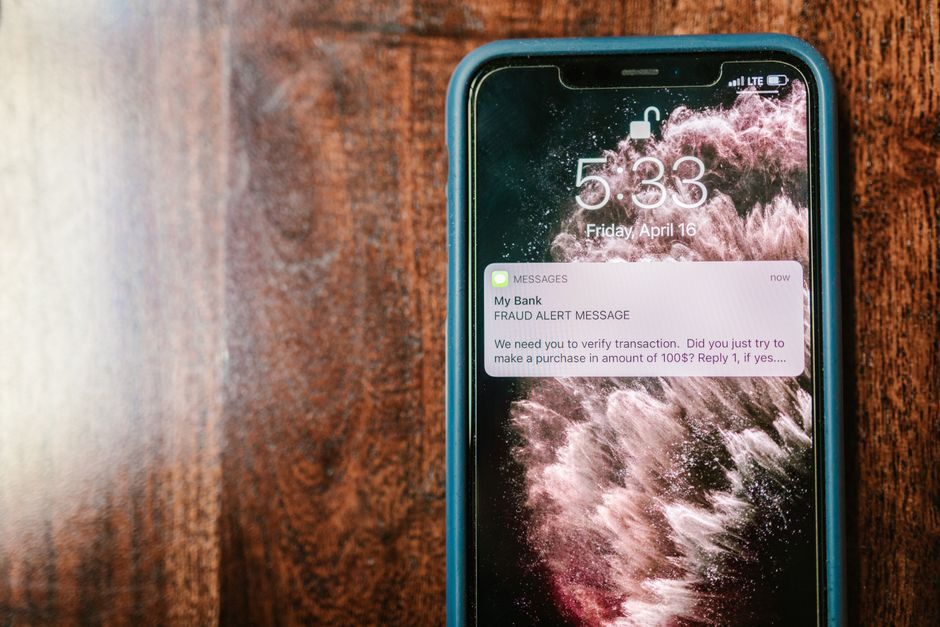
Contact your bank or payment provider as soon as you suspect a payment was fraudulent, using the number on your card, statement or official app. Explain that you believe you have been deceived, identify the transaction and ask whether it can be stopped, recalled or disputed. A prompt report gives the provider the chance to advise on the options available for that payment method. A useful resource on this topic: bugün dolar kaç TL.
If you shared card details, online banking credentials or a one-time passcode, tell the provider exactly what was exposed. Ask them to secure affected cards or access, and follow their instructions for resetting credentials through official channels. Do not use a phone number or link supplied by the suspicious contact, even if the message claims to offer urgent help.
Keep a record of the time you contacted the provider, the channel used and any case reference they give you. If a suspicious message quotes a dollar amount, checking бүгүн доллар kaç TL can help you understand the claim, though exchange rates alone cannot establish whether an offer is legitimate. Preserve the original message and explain the context when reporting it.
- Contact the bank through an official channel.
- Ask about stopping or disputing the payment.
- Secure any exposed card or account details.
- Record the contact time and case reference.
Report and secure access
Report the incident through the appropriate national fraud-reporting route for Scotland, and provide the timeline and evidence you have gathered. If you are uncertain whether the matter should also go to Police Scotland, use its official contact guidance to find the suitable route. For immediate danger or an ongoing emergency, use emergency services rather than waiting for an online form.
Change passwords for affected accounts and any other account that reused the same password, beginning with your email account. Use a new, unique password and enable two-step verification where available. Sign out other sessions if the service offers that option, and check recovery email addresses and phone numbers for changes you did not make.
If a remote-access app was installed at a caller’s or stranger’s request, disconnect the device from the internet and seek trusted technical help before using it for banking again. Tell your bank what happened, since access may have exposed more than the payment you first noticed. Keep suspicious callers blocked, but save evidence before deleting their messages or account details.
Common mistakes that can hinder a report
Avoid deleting useful evidence
Do not delete the conversation, email or account profile as your first response, even if seeing it is upsetting. These records may help show how contact started and what was promised. Capture and save the relevant details first, then use the platform’s reporting or blocking tools and follow any advice from your bank or the reporting service.
Avoid editing screenshots in a way that removes context, such as cropping out the sender or date. If you need to point out a detail, keep the original and make a separate annotated copy. A reviewer can then see both the evidence as it appeared and the specific feature you want them to notice.
Do not post private messages, transaction details or another person’s personal information publicly to warn others. Public posts can expose your own details and may alert the suspected offender. Share the evidence through official reporting channels, and ask the relevant provider how it wants files submitted if the route is not clear.
Keep reports factual and consistent
Describe what happened in the order it occurred, and separate direct evidence from your interpretation. For example, say that a message promised a return and show the wording, rather than stating that a particular person committed a crime unless that has been established. Clear, precise accounts are easier to assess and reduce the risk of mistaken assumptions.
Do not guess at missing details or inflate an amount to make the incident seem more serious. If you do not know who controlled an account, say so; if a transaction is still pending, mark it as pending. You can add information later if you find new evidence or receive an update from your bank.
Make a note of where you have already reported the incident and any reference numbers, then use consistent details when contacting a platform, bank or police service. Different organisations may ask different questions, but a shared timeline helps prevent accidental contradictions. If you notice an error in an earlier report, contact the organisation and explain the correction plainly.
Steps to protect your accounts and devices
Strengthen account access
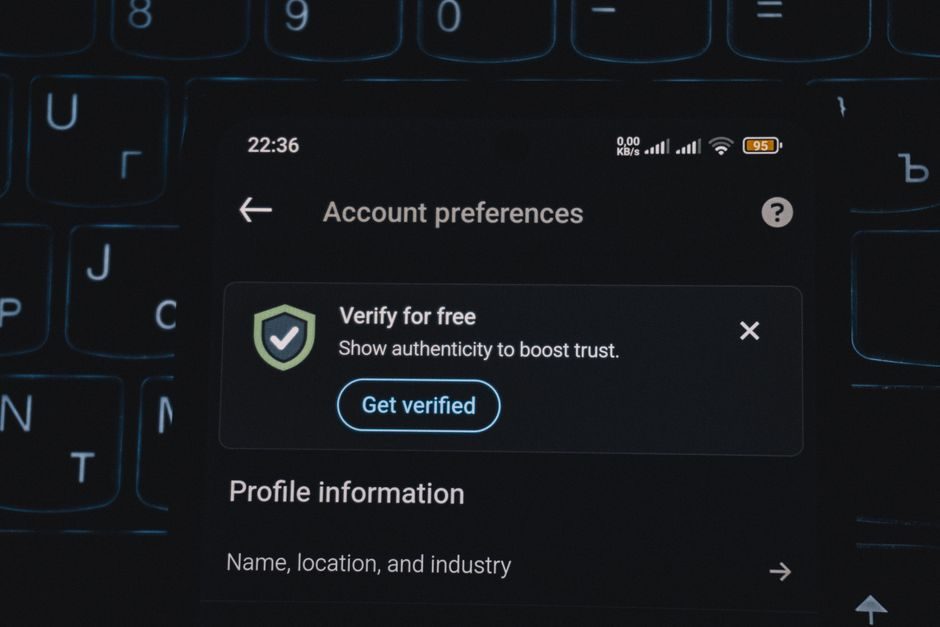
Use a different password for each important account, especially email, banking and social media, because access to one can help someone reset others. A password manager can help you create and store unique passwords if you find them difficult to remember. Turn on two-step verification where offered, and never share a verification code with someone who contacts you unexpectedly.
Check account recovery details and recent sign-in activity after a suspicious message or attempted takeover. Remove unfamiliar devices or sessions using the service’s own security settings, and update recovery phone numbers and email addresses if they are out of date. Start with your main email account, since it often receives password-reset links for other services.
Treat unexpected requests for codes, passwords or remote access as a warning, even when the caller claims to represent a bank, delivery company or public body. End the contact and reach the organisation through a number or website you find independently. A genuine-looking caller ID or profile name is not proof of identity.
- Use unique passwords for important accounts.
- Enable two-step verification where available.
- Review recovery details and sign-in sessions.
- Never disclose a verification code to an unexpected caller.
Keep devices and software safer
Install operating-system and app updates through the device’s built-in settings or official app store, since updates can address security weaknesses. Remove apps you do not recognise or no longer use, and review which apps can access your camera, contacts, microphone and files. Be cautious about installing software after a stranger says it is needed to fix a problem or release funds.
Use a screen lock and avoid banking or entering passwords on shared devices or unfamiliar public connections. If you must use a shared computer, do not save passwords, sign out fully and close the browser afterwards. For sensitive account changes, use a device and connection you trust, then check that the changes took effect.
Back up important documents and photographs to a secure location you can access if a device is lost or damaged. A backup does not stop fraud, but it can reduce the harm caused by losing access to your phone or computer. If a device behaves unexpectedly after a suspicious link or app, stop using it for financial activity and seek trusted technical support.
Frequently asked questions
Should I report an attempted scam if I did not lose money?Yes. An attempted scam can still be reported through the relevant national fraud-reporting route, and you can also report the message or account to the platform where it appeared. Save the sender details, wording and page address before blocking or deleting anything. If you entered a password or payment information, contact the relevant provider even if no money has left your account.
What information should I have ready when I contact my bank?Have the transaction date, amount, payment method and any reference shown in your banking app or statement. Explain how the contact began, what you were told and whether you shared account or card details. You do not need to know who was behind the contact before calling. Ask what immediate security steps the bank recommends and note any reference number or follow-up instructions.
Can I get money back after an online fraud?Recovery is not guaranteed, and the available options depend on how the payment was made and what happened. Contact your bank or payment provider promptly, explain that you believe the payment was fraudulent and ask what it can do. Keep records of your contact and any decision. Avoid anyone who promises to recover funds for an upfront fee or asks for account access.
What if I clicked a suspicious link but entered no details?Close the page and do not download files or continue through its prompts. If you entered no information and installed nothing, the risk may be lower, but check that your device and browser are up to date. If you entered a password, change it through the service’s official site and secure any account that reused it. Report the message to the platform and retain a screenshot if possible.
A clear first response helps
For Perth and Kinross residents, the practical priorities are to preserve the original evidence, contact the bank or payment provider quickly if money or credentials are involved, and report the incident through official channels. Keep your account of events factual and organised, including dates, payment references and any case numbers. Do not continue a suspicious conversation or rely on contact details supplied by the person who approached you.
If you have received a suspicious message, save it and note what happened before taking further action. If you have lost money or shared access details, contact your bank using an independently verified channel now, then secure affected accounts and make the appropriate report. These steps cannot guarantee a particular outcome, but they help protect your accounts and give organisations clearer information to assess.
Add Perth News as a preferred source on Google


